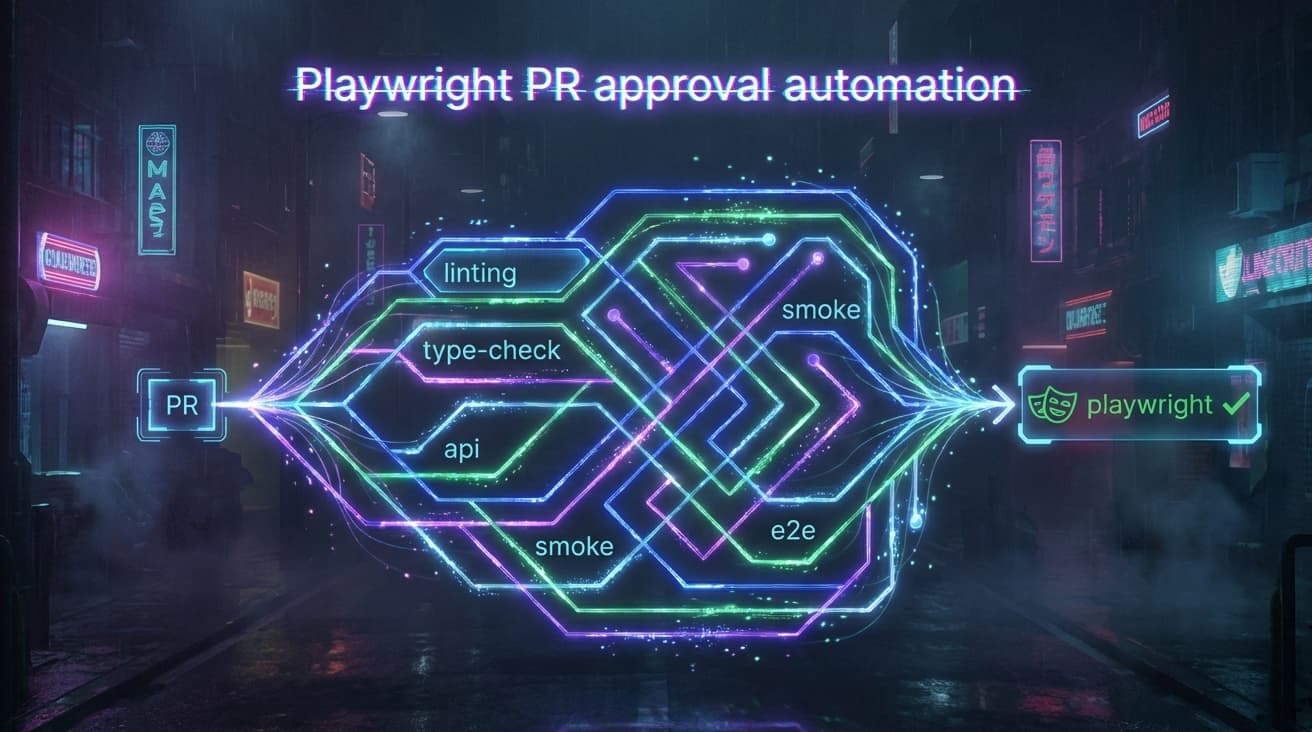
I introduced a new GitHub Actions workflow that automatically detects and runs only newly added Playwright test definitions whenever a pull request is opened or updated. This workflow provides fast, targeted feedback on newly written Playwright tests without the overhead of a full regression run. It is a useful addition to the CI pipeline but has known limitations around environment configuration, diff parsing accuracy, and test isolation. Use it as an early warning system alongside, not as a replacement for full test suite execution.
How the Flow Works
The workflow triggers on pull_request and merge_group events and runs two independent jobs:
Job 1: Lint and Typecheck
A fast gate that runs ESLint and TypeScript type checking on every PR. This catches syntax errors, type mismatches, and style violations before any tests execute. Timeout: 10 minutes.
Job 2: Playwright New Tests Only
This is the core of the new flow. It works in four stages:
Full checkout -- The repository is cloned with fetch-depth: 0 (complete git history) so the workflow can compute an accurate diff between the PR base and head commits.
Diff computation -- A git diff -U0 is run between base_sha...head_sha, filtered to only e2e/**/*.spec.ts and e2e/**/*.test.ts files.
AWK-based selector extraction -- An AWK script parses the unified diff and emits file:lineNumber pairs for every added line that matches a Playwright test definition pattern. Recognized patterns include:
Targeted execution -- The extracted file:line selectors are passed directly to npx playwright test, so only the newly added tests run. If no new test definitions are detected, the job logs a skip message and exits cleanly.
A Playwright HTML report is uploaded as a build artifact (retained for 14 days) regardless of pass/fail outcome.
Pros
Faster feedback on new tests
Only the tests you actually wrote in the PR are executed. The full regression suite is not triggered, which keeps CI times short and focused.
Catches broken tests before merge
A newly written test that fails due to a bad selector, missing fixture, or flawed assertion is caught immediately -- not days later in a scheduled regression run.
No manual intervention required
Authors do not need to remember to run their new tests locally or specify which tests to run. The workflow handles detection and execution automatically.
Precise targeting via file:line selectors
Playwright's file:line selector format means only the exact test definitions that were added are executed, not the entire file. This avoids running unrelated tests that happen to live in the same spec file.
Lint and typecheck as a fast first gate
The lint-typecheck job provides sub-minute feedback on basic code quality, independent of the slower Playwright job. If lint fails, the author knows immediately without waiting for browser tests.
Report artifacts always available
The upload-artifact step runs with if: always(), so even on failure the HTML report is available for debugging.
Cons
New tests run without full context
A newly added test may pass in isolation but fail when run alongside existing tests (shared state, database fixtures, parallel conflicts). This workflow does not catch ordering-dependent failures because i'm a firm believer that every test should be independent with test data and conditions created in before and after steps.
AWK parsing is heuristic, not semantic
The diff parser uses regex patterns to detect test definitions. Edge cases can produce false positives or false negatives:
False positive: A comment containing test( would be detected as a test.
False negative: A test definition split across multiple lines (e.g., template literal in the test name) may not be detected if the test( call is not on the added line.
Renamed tests: If a test is renamed (deleted + added), it is treated as a new test.
Three-dot diff can include unrelated commits
The git diff base_sha...head_sha (three-dot) syntax computes the diff from the merge base. If the target branch has advanced significantly, the diff may include changes that are not directly part of the PR, potentially picking up test definitions from other merged branches.
No retry or flaky-test handling
The workflow runs tests once. Playwright's config does set retries: 1 when CI=true, but there is no dedicated flaky-test quarantine or re-run mechanism at the workflow level yet.
Timeout risk for large PRs
The 30-minute timeout is generous for a few new tests, but a PR that adds dozens of spec files with many test cases could hit this limit, especially with browser installation time included.
How to Use Cautiously
1. Always configure environment variables
Ensure the repository has the required secrets and environment variables set in GitHub Actions settings.
Without these, tests will crash on startup.
2. Do not rely on this as your only test gate
This workflow runs only new tests. It does not run existing tests that may be broken by your code changes. Continue running the full regression suite (test.yml, prod.yml) on a schedule or before releases. Treat this workflow as an early signal, not a complete validation.
3. Keep test definitions on a single line
To ensure the AWK parser detects your tests, write test definitions in the standard single-line format:
// Detected correctly
test('should add item to cart', async ({ page }) => {

// Detected correctly
test.describe('Checkout flow', () => {

// May NOT be detected -- test( is not on the added line
test(
  'should add item to cart',
  async ({ page }) => {
4. Review the selector output in CI logs
The workflow prints all detected file:line selectors before executing. Review the Compute selectors for newly added tests step output to verify the correct tests were identified. If something looks wrong, the AWK logic may need adjustment.
5. Check the uploaded report on failure
When tests fail, download the playwright-report artifact from the Actions run summary. The HTML report includes screenshots, traces (on failure), and detailed error messages. Do not merge a PR with failing new tests unless there is a documented reason and a follow-up plan.
6. Be aware of test isolation
New tests run in the CI environment without other tests running alongside them. If your test depends on state set up by another test (e.g., a user created in a previous spec), it will fail. Design tests to be self-contained with their own setup and teardown.
7. Monitor CI costs
Each PR trigger installs Playwright browsers (Chromium, WebKit, Firefox), which is a non-trivial download. For repositories with high PR volume, consider caching the browser binaries using actions/cache to reduce both time and bandwidth costs.
8. Do not use test.only in committed code
The playwright.config.ts sets forbidOnly: true when CI=true. If you accidentally commit a test.only(, the entire Playwright run will fail. The workflow will detect test.only( definitions, but Playwright will refuse to run them.